Rspress 2.0 Released: A New Upgrade Focused on Experience and AI
Rspress 2.0 Released: A New Upgrade Focused on Experience and AI
 We are excited to announce the official release of Rspress 2.0!
Rspress is a static site generator based on Rsbuild, designed as a documentation tool for developers. Since its official release in 2023, Rspress 1.x has gone through 144 versions with 125 contributors involved in the project development. An increasing number of developers are choosing Rspress to build beautiful and reliable documentation sites, leveraging its efficient compilation performance, convention-based routing, and component library preview features.
 Based on community feedback and suggestions, Rspress 2.0 has made further advancements in theme aesthetics, AI-native capabilities, documentation development experience, and usage with Rslib.
Why Rspress 2.0
Rspress 1.x has addressed the compilation performance issues of documentation site frameworks, but there are still some problems affecting the core experience as a documentation development tool. Version 2.0 will not only pursue improved compilation performance but also focus on other aspects of the documentation site experience:
- Theme Style: A more aesthetically pleasing default theme with various customization options, addressing the lack of a stable API for theme customization in 1.x.
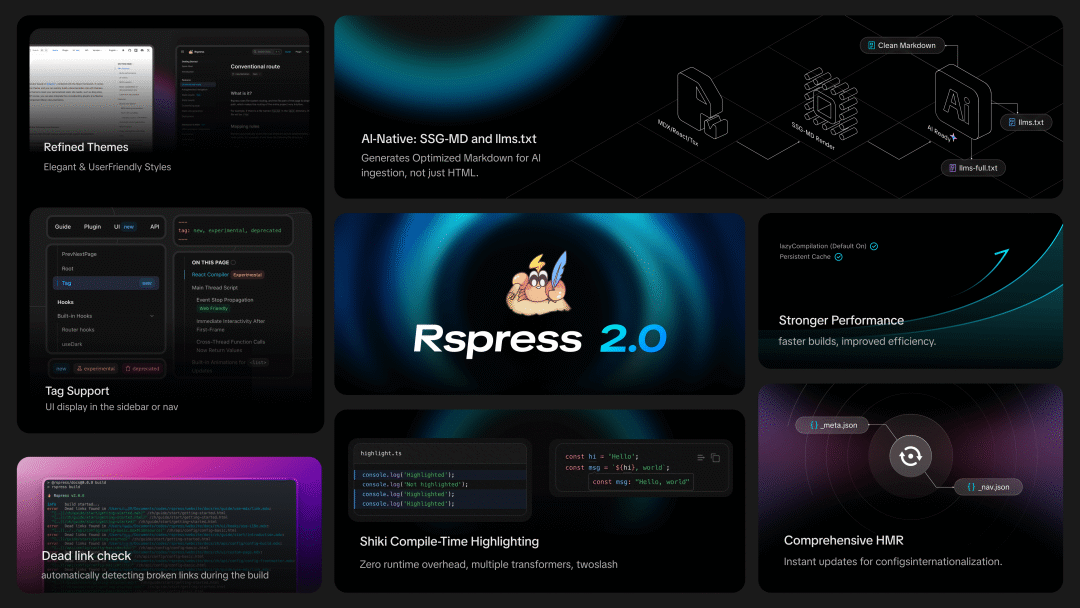
- AI-native: Documentation needs to be better understood and utilized by Agents, not just human readers. Rspress now includes llms.txt generation and SSG-derived SSG-MD functionality, generating high-quality Markdown rendering content for Agents to read.
- On-demand Compilation, Instant Start: Lazy compilation is enabled by default, along with resource preloading when hovering over links, building only the necessary files when accessing specific routes, allowing for instant startup regardless of project size.
- Shiki Code Highlighting: Shiki is integrated by default, completing syntax highlighting during build time, supporting theme switching and transformer extensions, such as @rspress/plugin-twoslash, providing richer code block display effects.
- Documentation Development Experience: Optimized HMR for files like nav.json and meta.json, added JSON schema for code hints in IDEs; dead link checking is enabled by default; new file code block syntax supports referencing external files; @rspress/plugin-preview and @rspress/plugin-playground can be used simultaneously, etc.
- Rslib Integration: You can now choose Rspress as the documentation tool when creating component library projects using create-rslib, quickly setting up component documentation sites.
New Features in 2.0
Brand New Theme
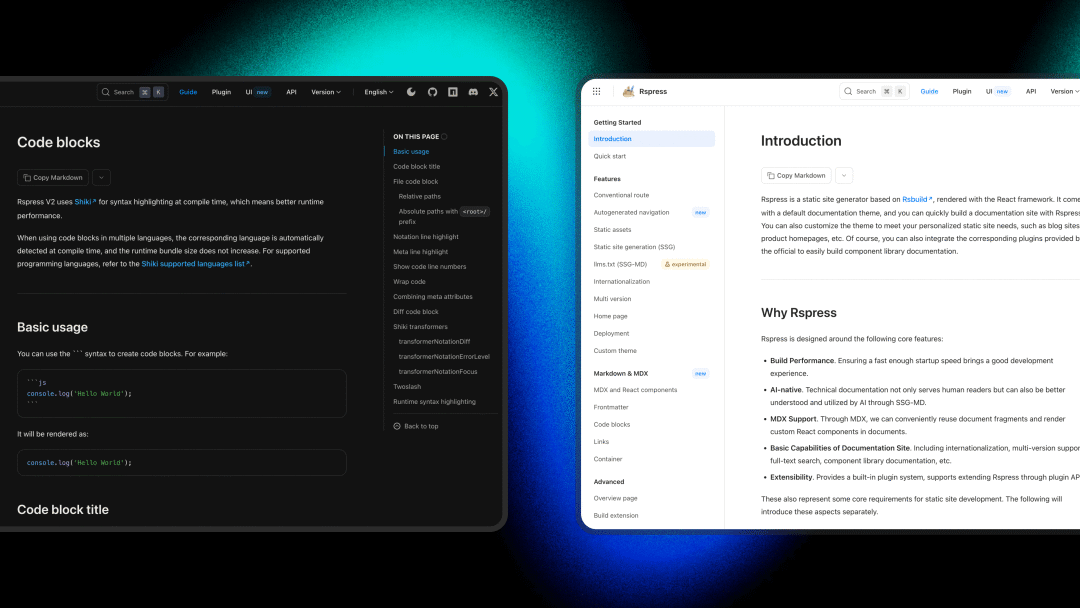
The default theme in 2.0 has undergone a systematic upgrade, designed by team designer @Zovn Wei, significantly enhancing visual effects and reading experience, with each component being independently replaceable, offering high customizability.
Theme Customization
There are four ways to customize themes, ranked from low to high in terms of customization level: CSS variables, BEM class names, ESM re-export overrides, and component eject.- CSS Variables: The new theme exposes more CSS variables, covering theme colors, code blocks, homepage styles, and more. You can interactively preview and adjust all CSS variables on the CSS variables page, and once you find a satisfactory configuration, you can directly copy it for use in your project.
- BEM Class Names: Built-in components now adopt the BEM naming convention. This is a very old-school choice, but it is also a well-considered decision. Users can precisely adjust styles through CSS selectors, and the HTML structure is clearer.
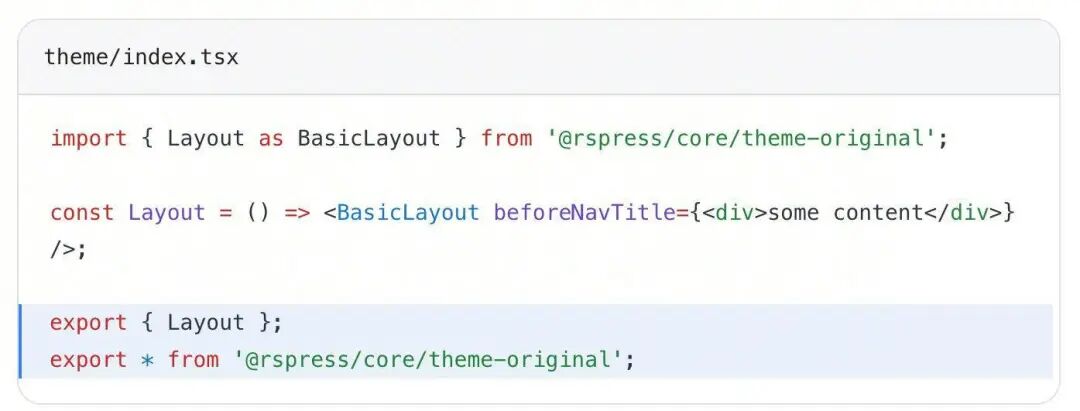
- ESM Re-export Override: If modifications to CSS do not meet customization needs, deeper customization can be achieved through JS. In theme/index.tsx, using ESM re-export allows you to override any built-in component of Rspress.
- Component Eject: You can use the new rspress eject [component] command, which will copy the source code of the specified component to the theme/components/ directory. You can freely modify this code, or even hand it over to AI for modifications to achieve deep customization.
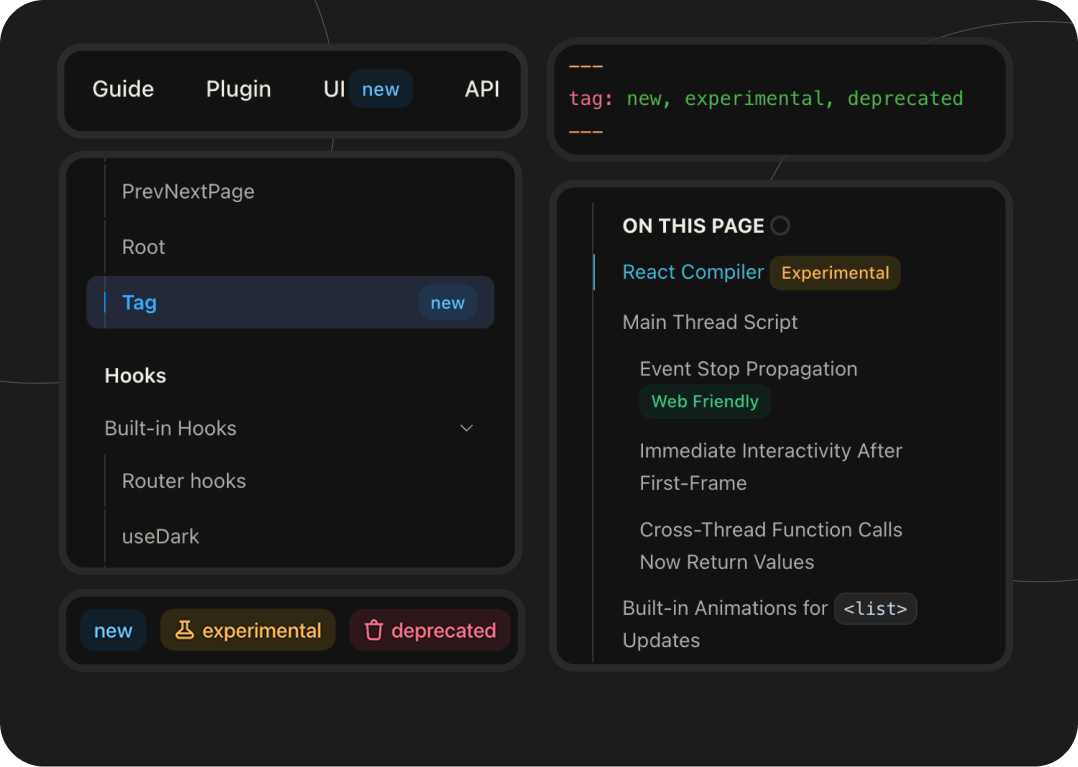
Navigation Bar and Sidebar Tag
Rspress 2.0 implements the Tag component, allowing you to use the tag property in frontmatter for UI labeling in the sidebar or navigation bar.
Built-in Multilingual Support
In version 1.x, Rspress only included English text. If using other languages such as zh, all text had to be configured, which was cumbersome. Now, the 2.0 theme includes translation texts for multiple languages such as zh, en, ja, ko, ru, etc. The system will automatically perform "Tree Shaking" based on language configuration, packaging only the texts and languages you use.
llms.txt Support
Rspress now integrates llms.txt generation capability into the core and implements a new SSG-MD (Static Site Generation to Markdown) capability.
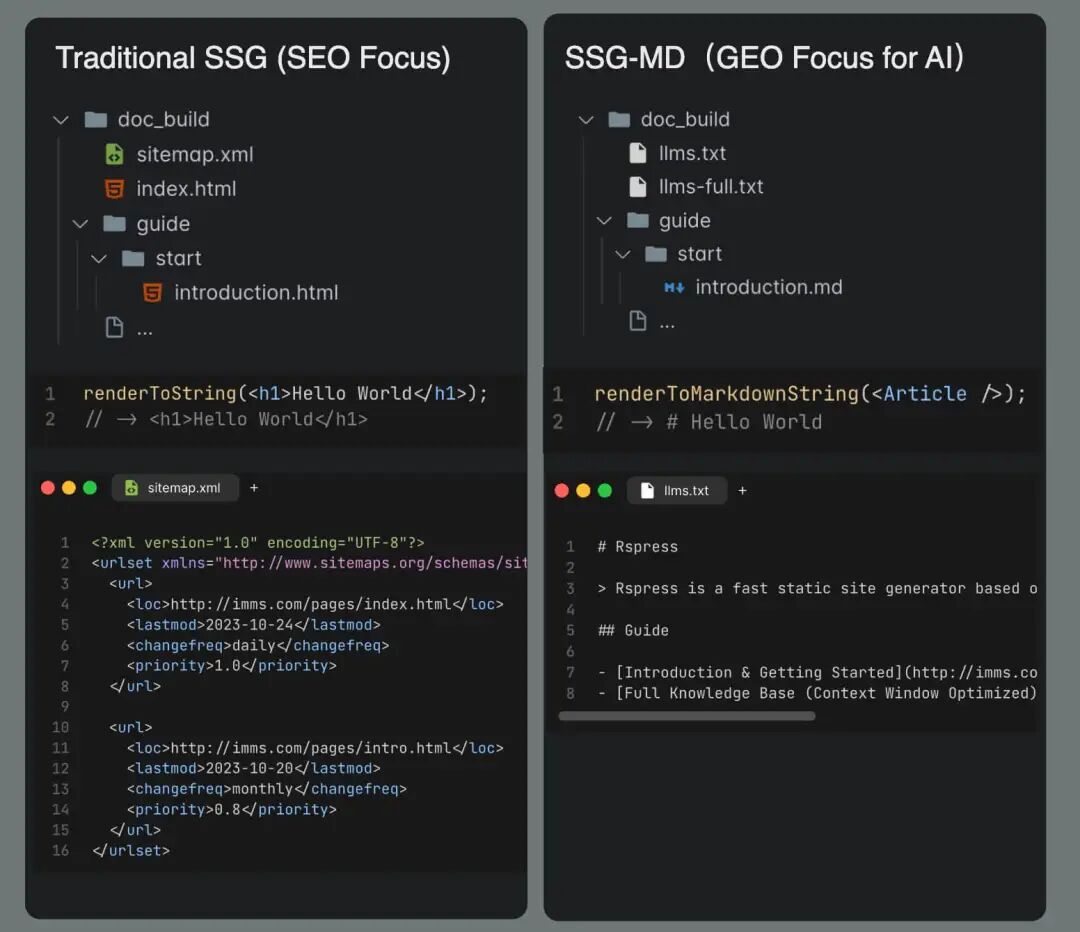 In front-end frameworks based on React dynamic rendering, there is often a challenge in extracting static information, and Rspress faces the same challenge. Rspress allows users to enhance document expressiveness through dynamic features such as MDX fragments, React components, Hooks, and TSX routing. However, these dynamic contents face the following issues when converting to Markdown text:
- Directly inputting MDX to AI will include a lot of code syntax noise and lose React component content.
- Converting HTML to Markdown often yields poor results, and information quality is hard to guarantee.
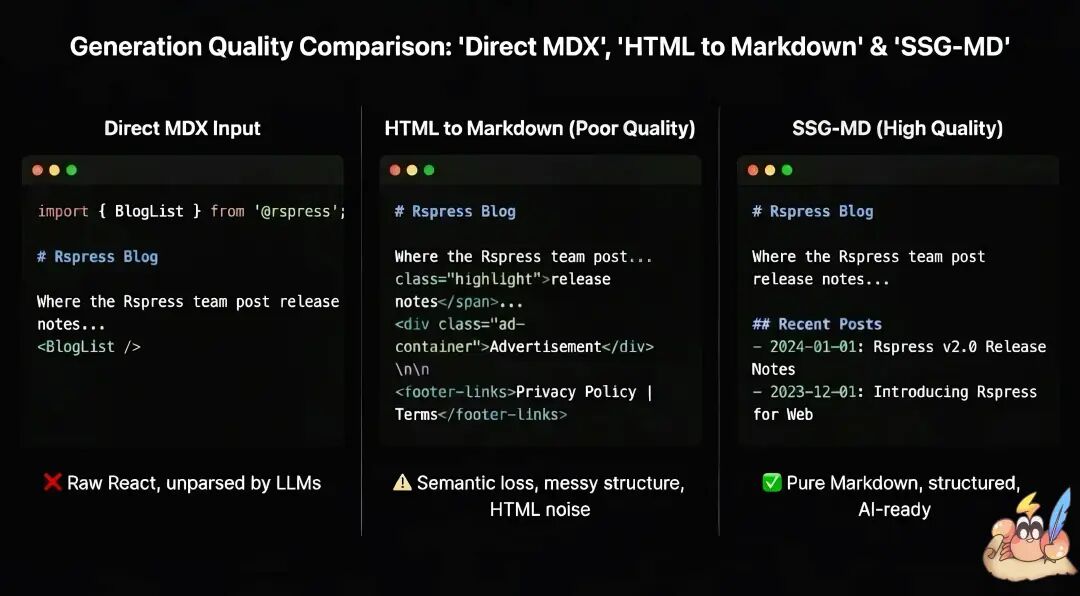 To address this issue, Rspress 2.0 introduces the SSG-MD feature. This is a brand-new function that is similar to static site generation (SSG), but the difference is that it renders your pages as Markdown files instead of HTML files, generating llms.txt and llms-full.txt related files.
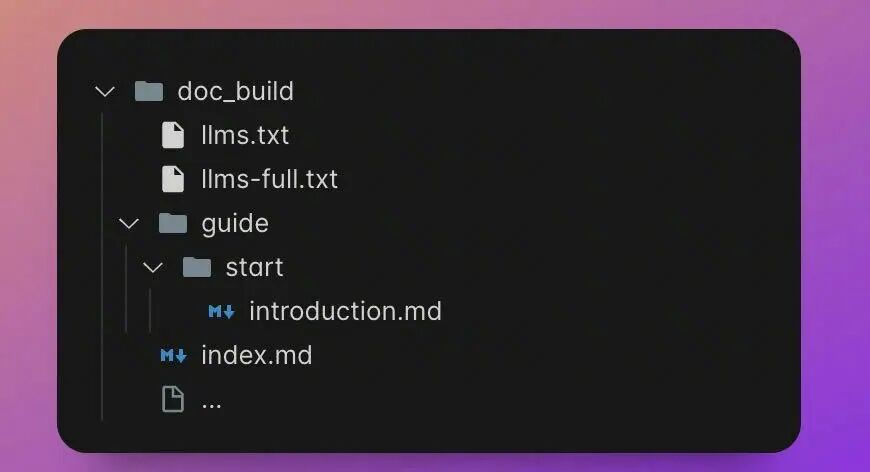
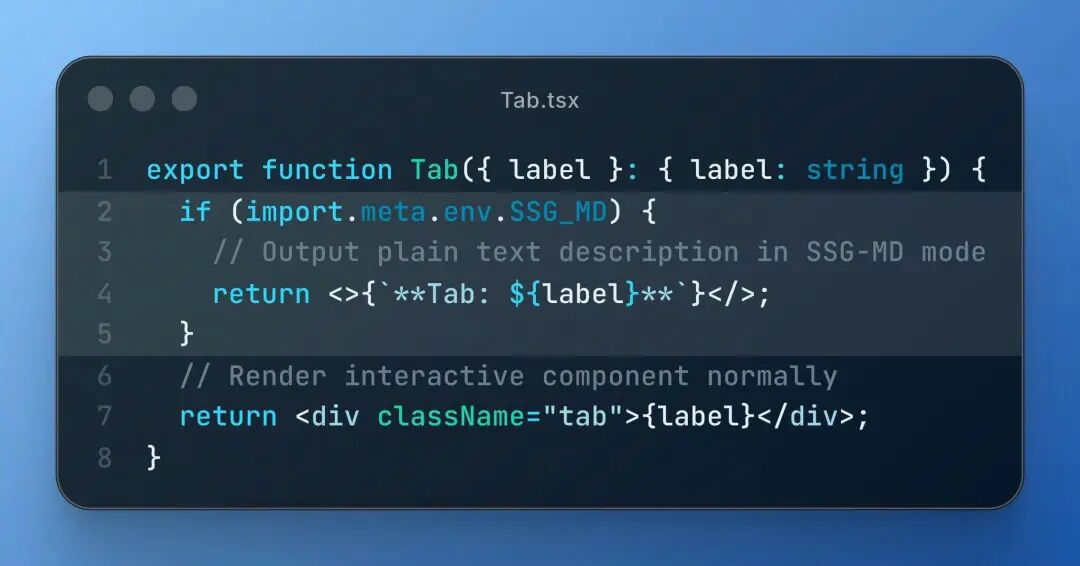
Shiki Compile Time Code Block HighlightingRspress 2.0 defaults to using Shiki for code highlighting. Compared to the runtime highlighting solution of prism in 1.x, Shiki completes the highlighting process at compile time.
- Supports multiple theme styles, for example, you can interactively switch and preview different Shiki themes on the CSS variables page.
- At the same time, Shiki also allows the use of custom transformers for extensions to enrich writing, such as twoslash, etc.
- Import programming languages on demand without increasing runtime overhead and package size.
- Achieves accurate syntax highlighting consistent with VS Code based on TextMate syntax.
Performance Improvements
Rspress 2.0 is powered by Rsbuild and Rspack 2.0 preview version at its core, and it defaults to enabling on-demand compilation and persistent caching.
On-Demand Compilation
By default, dev.lazyCompilation is enabled, meaning that a page will only be compiled when you access it, significantly improving development startup speed, even achieving millisecond-level cold starts. Rspress also implements a preload strategy for routing, where the target route page will be preloaded when hovering over a link, combined with lazyCompilation for a lossless development experience.
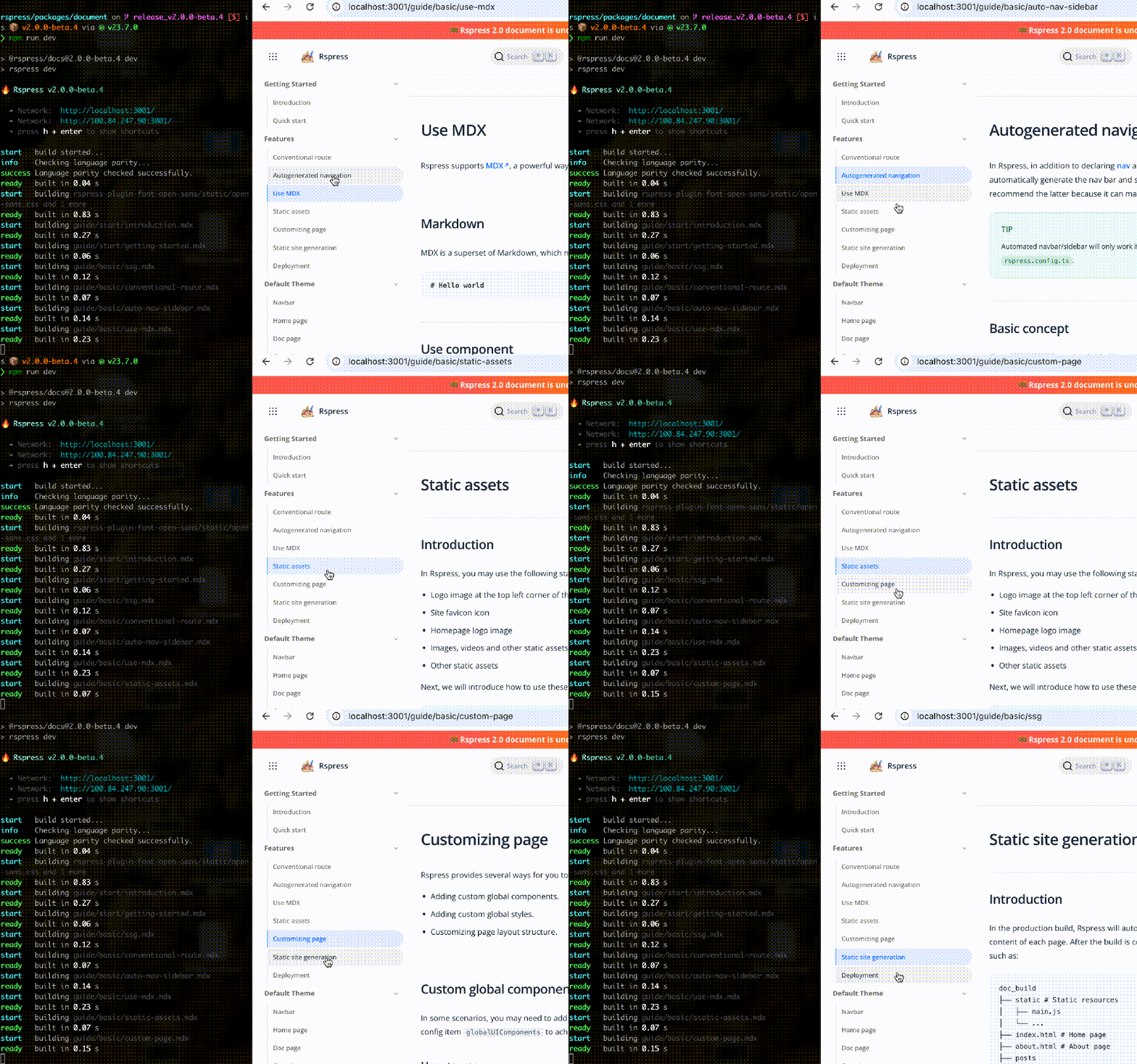
Persistent Caching
Version 2.0 also defaults to enabling persistent caching, reusing the results of the last compilation during hot starts, improving build speed by 30%-60%. This means that after the first run of rspress dev or rspress build, subsequent startup speeds will be significantly improved.
Documentation Development Experience
Dead Link Check Enabled by Default
Rspress 2.0 has the dead link check feature enabled by default. During the build process, it automatically detects invalid links in the documentation, helping you discover and fix them in a timely manner.
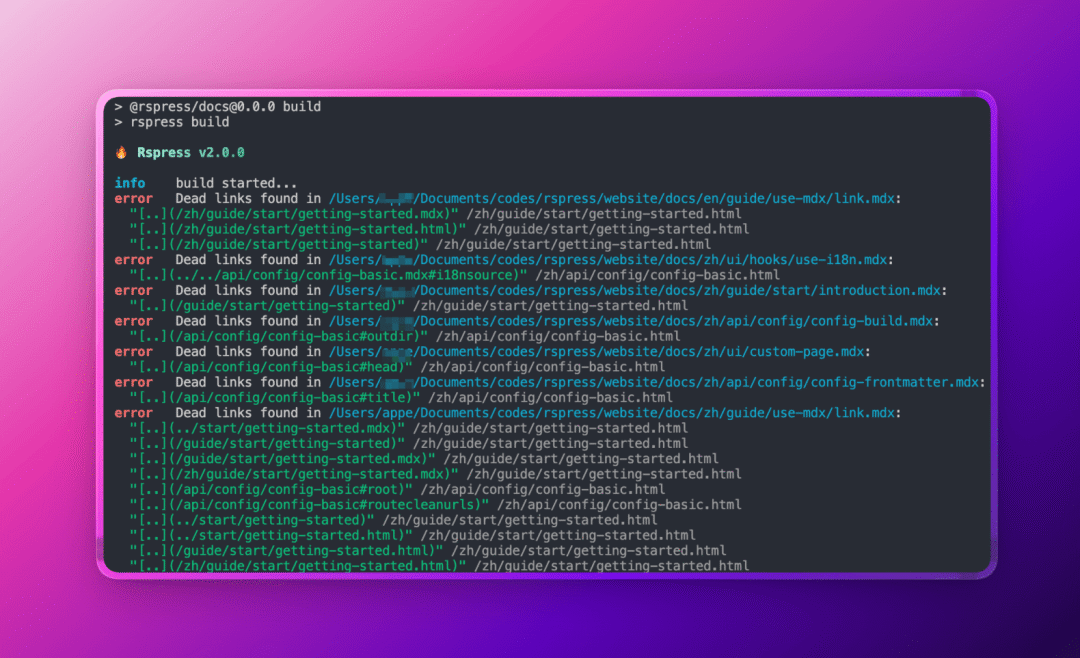
File Code Blocks
You can use the file="./path/to/file" attribute to reference external files as the content of code blocks, maintaining example code in separate files.
More Flexible Meta Usage for Preview
@rspress/plugin-preview now uses the meta attribute, making it more flexible and can also be combined with file code blocks.
Rslib & Rspress
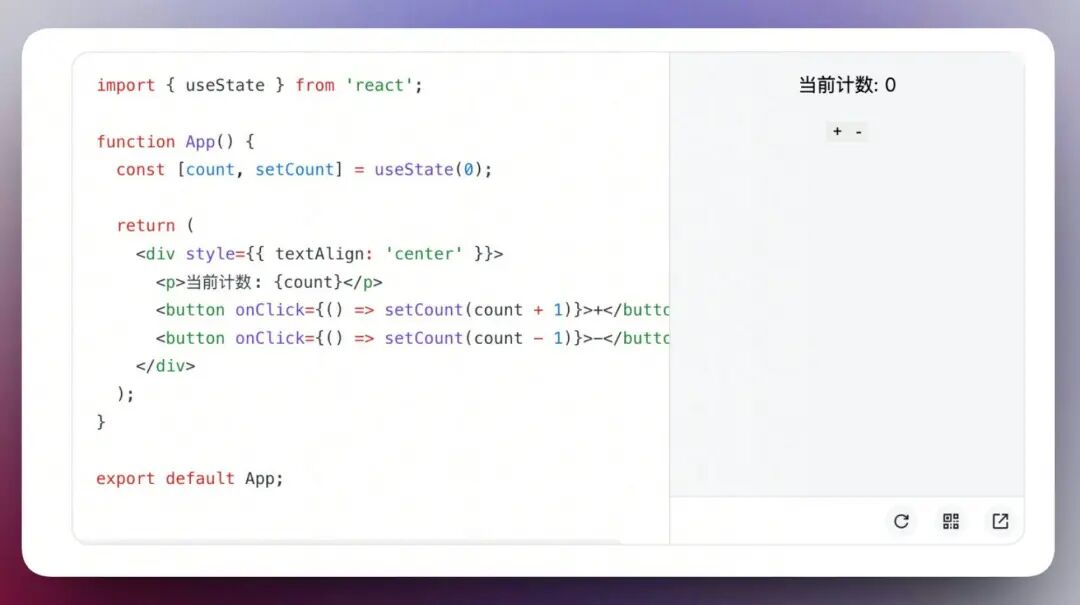
When using create-rslib to create a project, you can now choose the Rspress tool. This allows you to quickly set up a supporting documentation site while developing a component library, for writing usage instructions for components, displaying API references, or previewing component effects in real-time.
More Official Rspress Plugins
Rspress 2.0 has added several official plugins:
- @rspress/plugin-algolia: Supports replacing Rspress's built-in search with Algolia DocSearch
- @rspress/plugin-twoslash: Adds type hints for TypeScript code blocks
- @rspress/plugin-llms: Provides llms.txt generation capability for projects that do not support SSG and SSG-MD
- @rspress/plugin-sitemap: Automatically generates Sitemap files for SEO optimization
Breaking Changes
Migration from Rspress 1.x
If you are a user of the 1.x project, we have prepared a detailed migration document to help you upgrade from 1.x to 2.0. You can directly use the "Copy Markdown" feature on the page to input it to your commonly used coding agent (such as Claude Code, etc.) to complete the migration.Rspress 2.0 requires Node.js version 20+ and React version 18+.\n\n## Next Steps\n\nThe release of Rspress 2.0 is just a new starting point. After this release, Rspress will continue to iterate: \n\n- Promote Ecosystem Integration: Deeper integration with Rslib and Rstest to provide an integrated development experience for frontend projects and component library projects.\n- Explore Deeper Integration of AI and Documentation: Such as intelligent Q&A, automatic summarization, etc.; improve SSG-MD to make it stable and more user-friendly.\n\nStart using or upgrade to Rspress 2.0 to experience a brand new documentation development journey!\n\nnpm create rspress@latest



