Making AI a Top Financial Analyst, This Open Source Agent is Amazing
Making AI a Top Financial Analyst, This Open Source Agent is Amazing
To be honest, doing financial research is really exhausting. Every day, you have to go through a huge pile of financial reports, announcements, and news. Analyzing a company requires checking hundreds of data points, and filling out Excel sheets until your hands hurt is not an exaggeration.
The market changes so quickly that by the time you finish your analysis, the opportunity may have already slipped away.
Let me introduce a useful open-source agent called Dexter, which can make AI your top financial analyst.
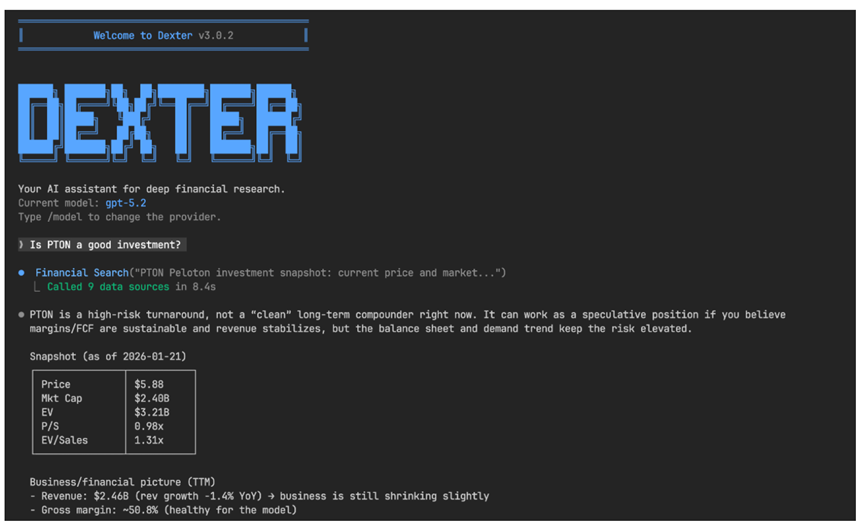 Open source address: https://github.com/virattt/dexter
In simple terms, Dexter is a financial research AI assistant that can think, plan, and learn on its own. It is specifically designed to help you with financial research tasks.
When you use it, you will find that complex analyses that originally took several hours to complete can now be done in just a few minutes, and you don't have to spend money hiring an expensive team; one Dexter can match the workload of several people.
What surprised me the most are its several core functions. Dexter is particularly good at breaking down complex financial problems. You can casually throw it a question like analyzing Apple's profitability over the past five years.
It will automatically plan a clear set of research steps, just like having an experienced veteran beside you giving you advice.
It can also go find data on its own; income statements, balance sheets, cash flow statements, all are within its capabilities, and you don't have to dig through one website after another.
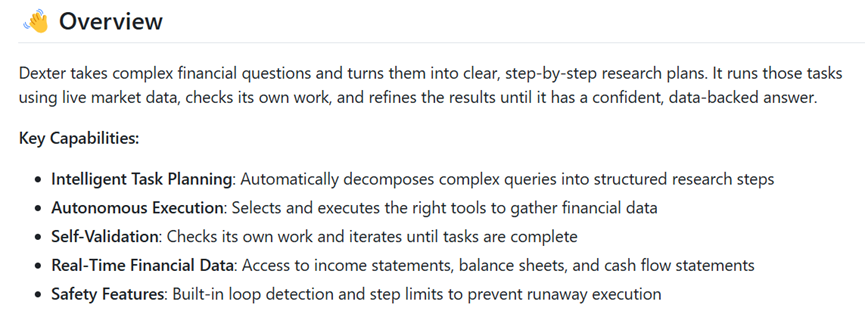 After completing the analysis, Dexter will check it again, automatically correcting any mistakes it finds. If one attempt doesn't work, it will try several times until it provides reliable results.
This is really important because AI can sometimes make serious mistakes. Moreover, it connects to real-time financial databases, ensuring that the data is always up to date and avoiding outdated information.
Of course, the project also has built-in safety mechanisms to prevent the AI from going off track or getting stuck in infinite loops, making it quite reassuring to use.
Dexter also has some advanced features, such as running an evaluation suite that allows Dexter to answer a series of standard financial questions and then observe its automatic scoring process, with real-time progress and accuracy statistics.
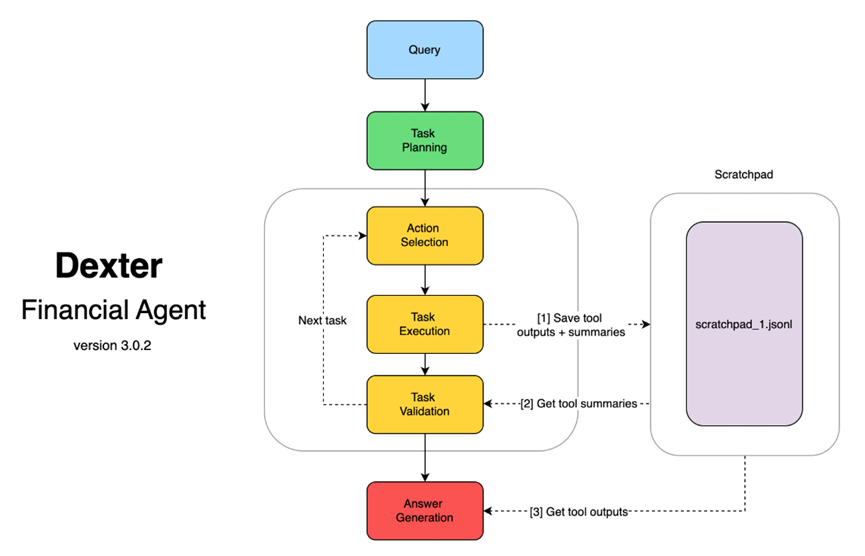 Alternatively, you can take a look at the contents in the .dexter/scratchpad/ folder like a hacker. It saves the process of each analysis by Dexter in JSON format.
You can see what questions it asked, what tools it used, what data it obtained, and even how it thought, almost like reading the AI's inner diary, which is particularly interesting.
The installation process is actually quite simple and can be completed in just a few minutes. First, you need to install a Bun runtime. For Mac and Linux systems, you can use the curl command directly, while Windows users can use PowerShell.
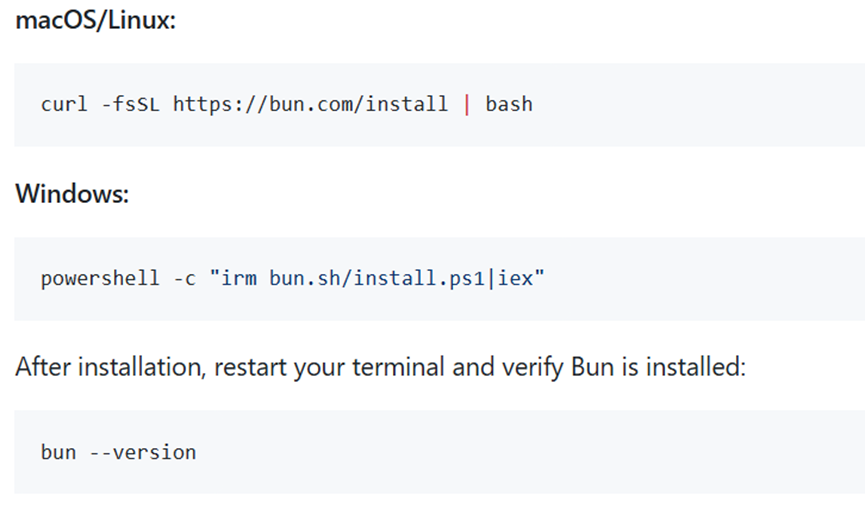 After installation, remember to restart the terminal and confirm the installation with the bun --version command. Next, clone the project using the git clone command, then cd into the directory and run bun install.
The configuration part is a bit more complicated; you need to copy the env.example file to .env and fill in a few API keys.
Many people should already have the OpenAI key, and the keys for Financial Datasets and ExaSearch can also be obtained for free or at a low cost. Finally, run bun start, and Dexter will be up and running.



