I Spent 48 Hours Abandoning Telegram, Installed 6 AI Employees in Discord, and Fully Automated My One-Person Company
I Spent 48 Hours Abandoning Telegram, Installed 6 AI Employees in Discord, and Fully Automated My One-Person Company
This article details how to integrate OpenClaw with Discord to create an AI automation team for a one-person company.

Why Do You Feel More Tired Using AI? Because You Lack a Virtual Office
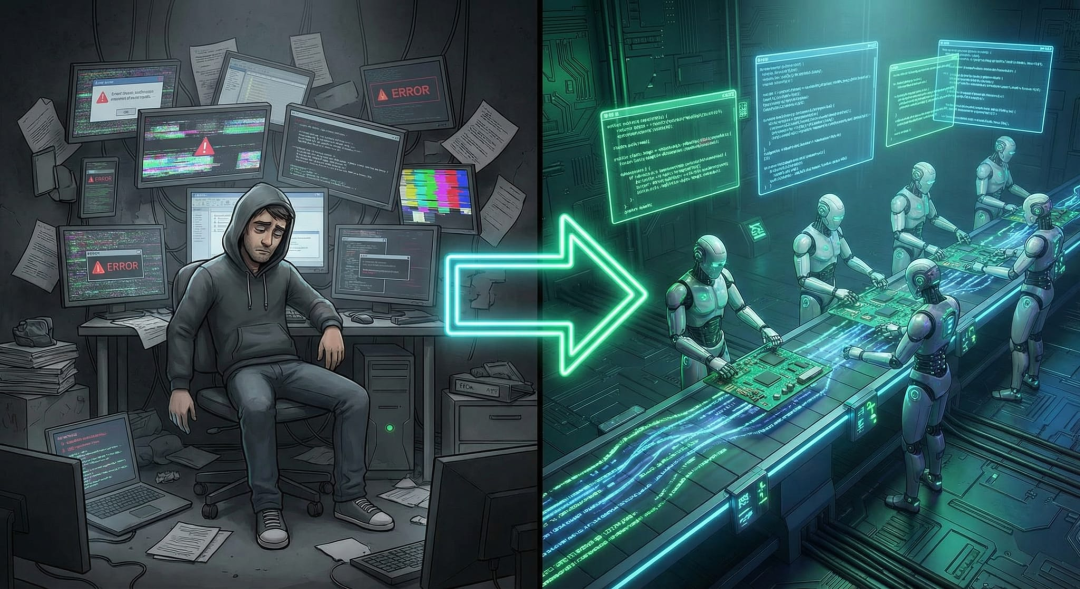
Every day, you open dozens of web tabs, using ChatGPT in window A to write code, Claude in window B to polish copy, and then open Midjourney to generate images... You think you are using AI to improve efficiency, but in reality, you have become the most exhausted manual data mover among these high-intelligence AIs.
In a true one-person company, the boss does not execute tasks. The boss only sits in the boss chair giving orders, while digital employees should communicate, relay, and collaborate on their own, ultimately delivering the finished product to you. With the current strongest open-source gateway tool, OpenClaw, this tutorial speaks plainly, specifically targeting complete novices who know nothing about coding.
3 Reasons to Escape from Telegram to Discord
Many geeks like to use Telegram to run bots. I tried it too, but ultimately fled in embarrassment. Once your AI employees exceed 3, Telegram becomes a disaster.
Pain Point Dimension | Telegram Nightmare | Discord's Dimensional Reduction Strike --- | --- | --- Organizational Structure | Only parallel chat groups | Naturally has categories and channels, can establish dedicated workspaces for content and development departments Workflow | Extremely flat, cannot be categorized | Bots can perfectly read context and colleagues' progress in the same group by enabling specific permissions Privacy Mode | Bots cannot see each other's messages by default, cannot collaborate | AI can deeply chat with you in a folded topic, completing tasks in a flash! Disruption Level | In a group, 3 bots may respond to you simultaneously, causing information overload | Perfect thread mechanism.
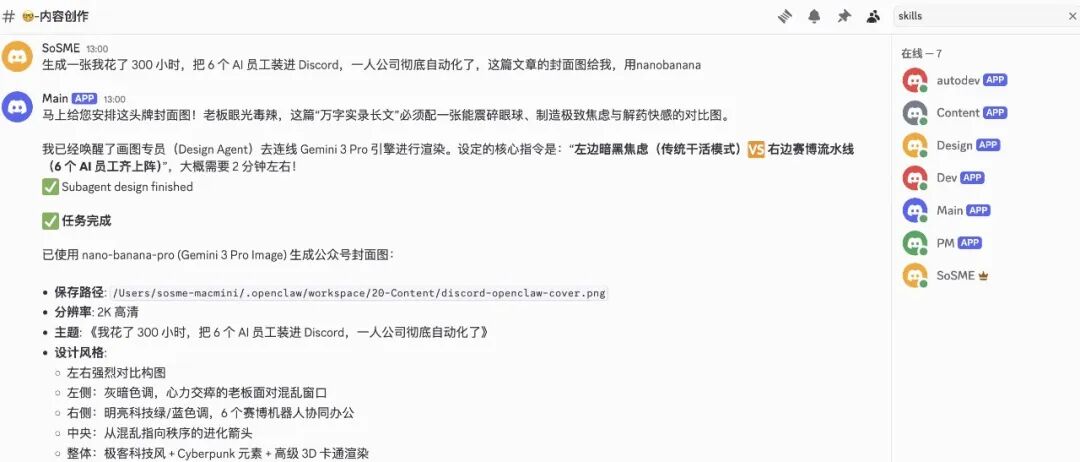
Infrastructure Phase: Building a Tower in Discord and Recruiting AI Managers
Step 1: Buy an Office Building (Set Up Your Main Server)
- Download, install, and log into the Discord client
- Click the green 【+】 (Add Server)
- Choose 【Create My Own】 -> 【For Me and My Friends】, name it "AI Automation Headquarters"
Step 2: Recruit a Dummy for the Front Desk (Register Bot)
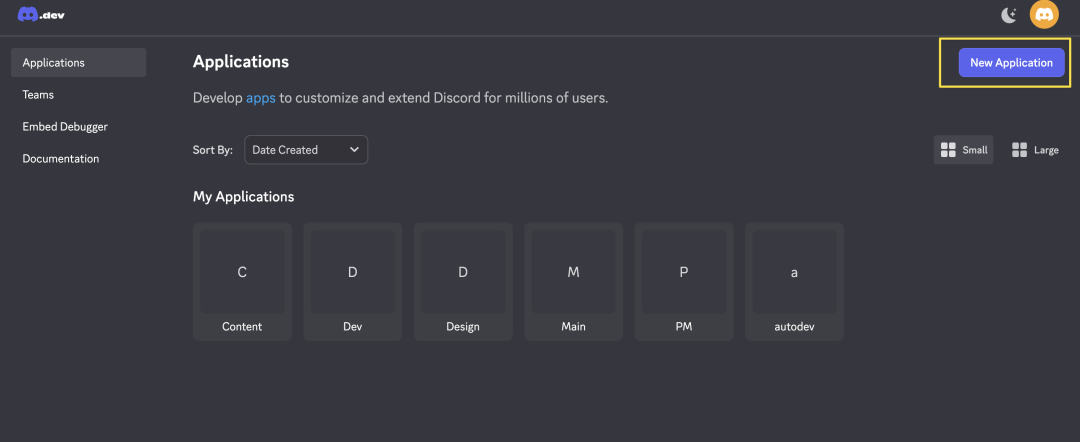
- Open Discord Developer Portal (discord.com/developers/applications) in your browser and log in with your account
- Click 【New Application】 in the upper right corner, name it Main Manager
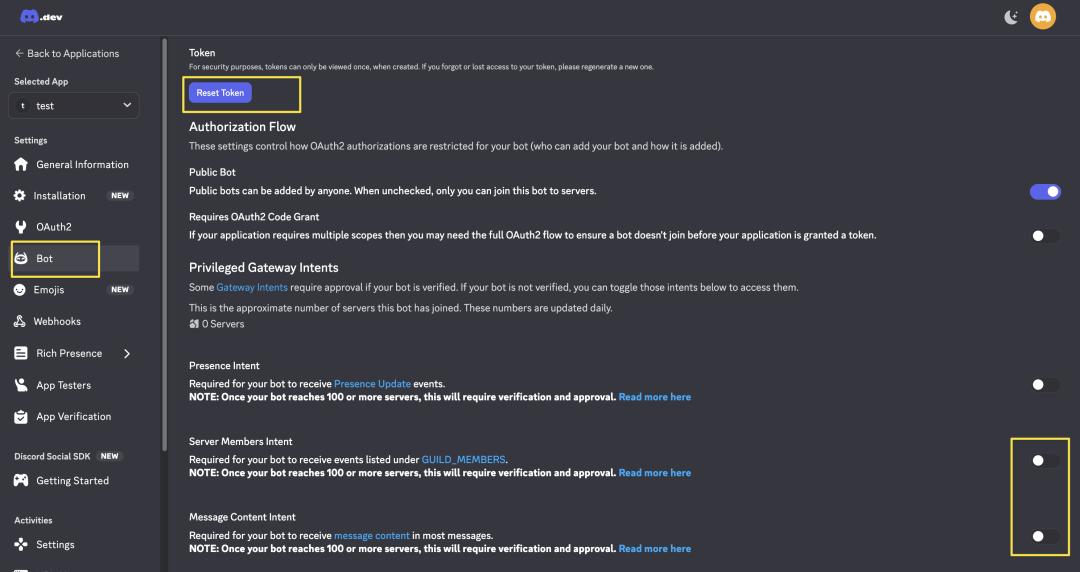
- In the left menu of the webpage, find and click the 【Bot】 option
- On the Bot page, find the Token section, click the 【Reset Token】 button, and confirm the reset
- Click 【Copy】 to copy it and save it in your notes
Step 3: Enable Hearing and Vision for the Bot (Open Privileged Intents)
On the page where you just copied the Token, scroll down to find the area named 【Privileged Gateway Intents】. Turn on the switches for Message Content Intent (to get message content) and Server Members Intent (to get group members)! This is the easiest step to trip up on!
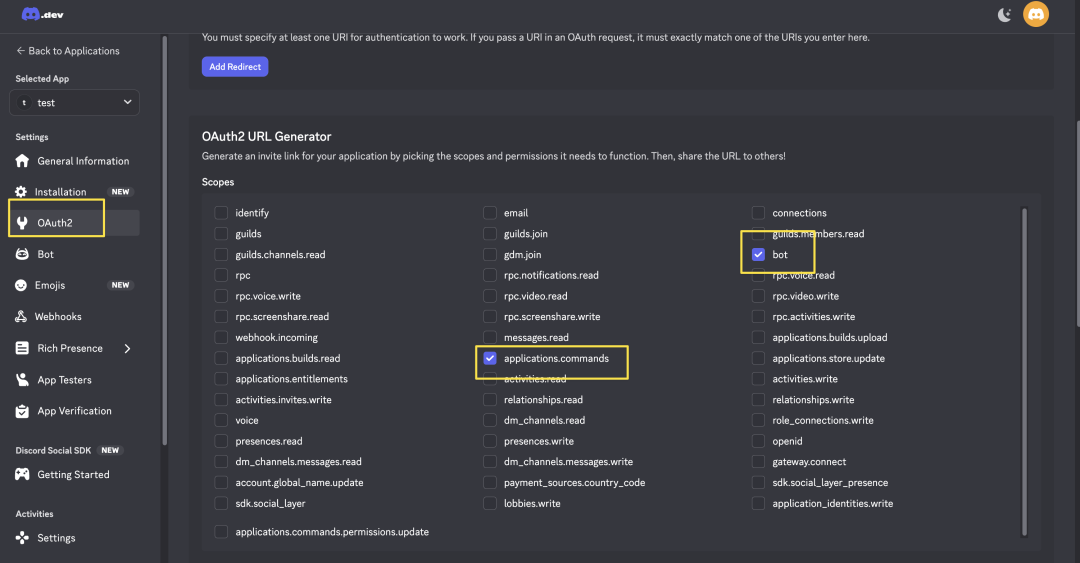
 - In the left menu of the webpage, click [OAuth2]
- In the middle Scopes panel, check the options [bot] and [applications.commands]
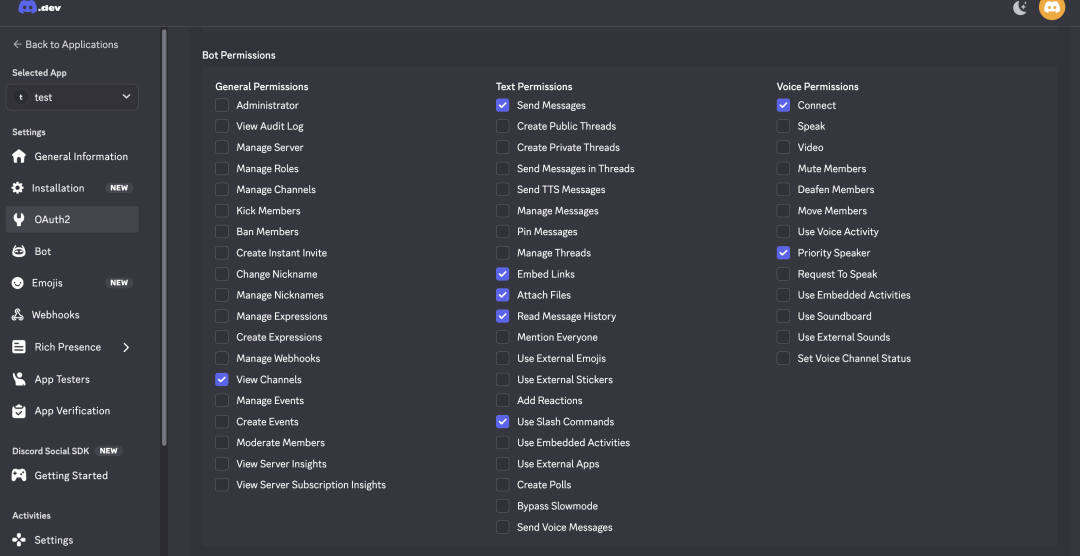
- After checking, a Bot Permissions selection box will automatically pop up at the bottom of the page
- Scroll to the bottom of the webpage, and you will see a generated URL link, click [Copy] to copy it
- Paste the link into the browser address bar and press enter, select the "AI Automation Headquarters" you just created, and click authorize
Internal Installation Phase: Unpack My Configuration Library: Brain, Shell, and Binding Mechanism
Structure One: Create a Smart Brain (Agents)
In the top section "agents", define the personality and workspace of your employees.
"agents": { "list": [ { "id": "main", "model": "bailian/qwen3.5-plus", "workspace": "~/.openclaw/workspace" }, { "id": "dev", "model": "zai/glm-5", "workspace": "~/.openclaw/workspace-dev" } ] }
Structure Two: Configure External Communication Shells (Accounts)
Insert the access tokens you received in the backend into these shells:
"channels": { "discord": { "accounts": { "main": { "enabled": true, "token": "YOURTOKENHERE" }, "dev": { "enabled": true, "token": "YOURTOKENHERE" } } } }
Structure Three: Binding Mechanism (Bindings)
Use a magical red thread called Bindings to tell the system how to connect the shells and the brain:
"bindings": [ { "agentId": "main", "match": { "channel": "discord", "accountId": "main" } }, { "agentId": "dev", "match": { "channel": "discord", "accountId": "dev" } } ]
Hardcore Authorization: Open the Internal Channels (Send) and Shadow Clone (Spawn)
Privilege One: Activate Internal Telephone Network (Activate sessionssend Tool)
"tools": { "agentToAgent": { "enabled": true, "allow": ["main", "content", "dev", "design", "pm"] } }
Privilege Two: Grant Shadow Clone Awakening Rights (Activate sessionsspawn Tool){ "id": "main", "model": "bailian/qwen3.5-plus", "subagents": { "allowAgents": ["content", "dev", "design", "pm"] }, "tools": { "allow": ["*"] } }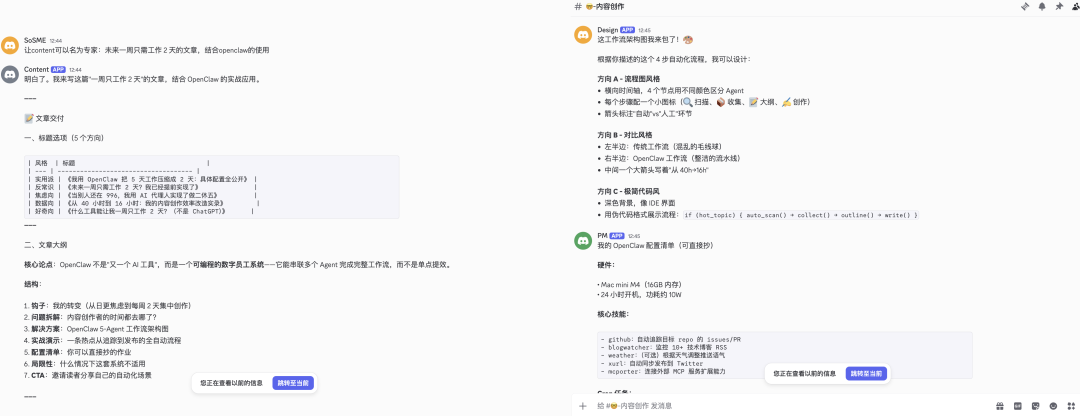 ## Avoiding Pitfalls: 3 Issues That Cause Freezing### Issue One: AI is a Cold and Distant Guy (How to Fix the Anti-Harassment Mechanism Error?)When you send the first message to the bot in the group to say hello, the bot will respond with an English message: "Unrecognized sender. Pairing code (expires in 1h): 839211". This is OpenClaw's extremely powerful underlying anti-hacking mechanism—boss pairing verification.Solution: Go back to your computer terminal, and enter:
 openclaw pairing approve discord 839211 (replace it with the number it shows you).### Issue Two: The Bot Goes Crazy in the Group and Floods the ChatSolution: In the configuration file (inside accounts), make sure to add a line of configuration for each bot that pulls you into the group: "requireMention": true. This means: If I don't accurately @ your name in a work channel with hundreds of people, even if you hear the chat content, you have to hold it in!## Outbreak Period: Ultimate Weapon Record: Let AI Automatically Relay in the Group Without Coding### First Highlight: Interdepartmental Internal Calls (Utilizing SessionsSend Power)Because you configured agentToAgent earlier, now the main control manager, after receiving a development task, does not need to ask you anymore; he can directly use the sessionssend native tool to call the development department (Dev Agent).### Second Highlight: Summoning Temporary Workers Out of Thin Air (Utilizing SessionsSpawn Power)sessionsspawn (session cloning dispatch) is like a deity descending! The main AI finds the workload too heavy: it will directly open a backdoor at the system bottom, conjuring a clone (Sub-agent) living in the "sandbox black room" to silently do the hard work in the background. After finishing, it will proactively report back to the main AI outside.This is the true meaning of asynchronous collaboration and time-folding! This is also a terrifying weapon that allows me, as a one-person company, to achieve the output of a small team of 10 people. ## In Conclusion: Stop Being the Bot's NannyThis transforms you from a "typing and copying clerk" who is always waiting in front of the input box for results to pop up, into a macro designer sitting in front of a floor-to-ceiling window in an office, sipping tea:- You have a spacious office with categorized sections (Discord channels do not interfere with each other)
- You have department leaders who each have their own responsibilities (Agent loads specific large models)
- You only need to give major instructions, and the butler will use sessionssend to call the subordinates, even using sessionsspawn to open workshops in the background, without crowding your group chat window.



