Conductor: The Mac Tool That Could Change the AI Programming Paradigm
Conductor: The Mac Tool That Could Change the AI Programming Paradigm
Three bugs waiting to be fixed, and the product manager has come up with an urgent request. Switch branches, change code, submit. Switch branches again, change code again, submit again... One person, four lines, my brain is about to explode.
What if there were four "selves" working at the same time?
Conductor is the tool that gives you an AI programming team.
From "Co-Pilot" to "Project Manager"
We are already accustomed to the Copilot model. It acts like a smart tutor sitting next to you. You write a line, it completes a line. Very considerate, but essentially still one-on-one.
Conductor completely overturns this logic. It is not a tutor. It makes you the project manager. You are no longer the one writing every line of code. You are the one assigning tasks, reviewing results, and making decisions on merges. This feeling, how should I put it—great.
Core Technology: Git Worktrees
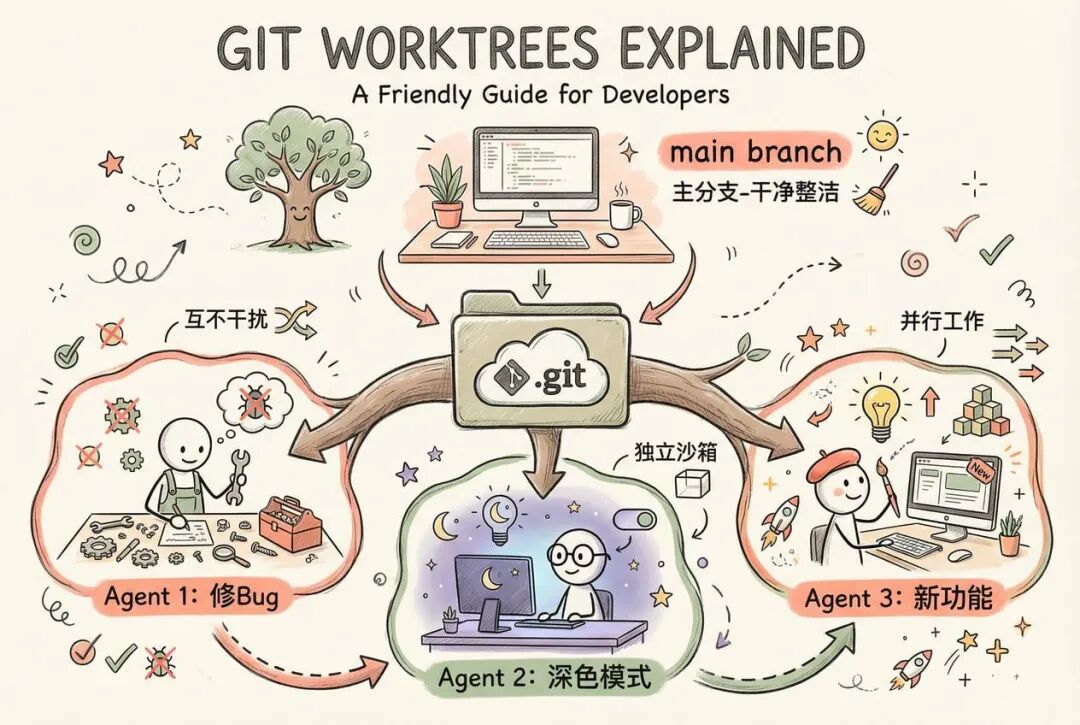
Conductor allows multiple AIs to work in parallel, and it’s not magic. It relies on a lesser-known feature of Git: git worktrees.
In simple terms, it allows you to check out multiple branches from the same repository at the same time. Each AI Agent works in its own "sandbox." They do not interfere with each other. No conflicts. The main branch remains clean.
Previously, you had to manage this yourself. Now, Conductor takes care of everything for you. One user put it well: "It handles all the dirty work of git worktree!"
But to be honest, worktree does have a small hassle. Each new workspace theoretically requires reinstalling dependencies. Running npm install, running pnpm install... this is annoying.
The good news is that Conductor solves this problem with its built-in scripts feature. You can configure automation scripts to handle dependency installation and environment preparation automatically. As soon as an AI Agent is created, the environment is ready, and it can start working immediately.
How Does It Work?
The process is simple to the point of being astonishing:
- Import your project into Conductor.
- Command+N, create a new task. Describe it in plain language: "Help me fix the bug on the login page." Press enter. An AI Agent starts working.
- Another task. "Add a dark mode to the settings page." Another Agent comes online.
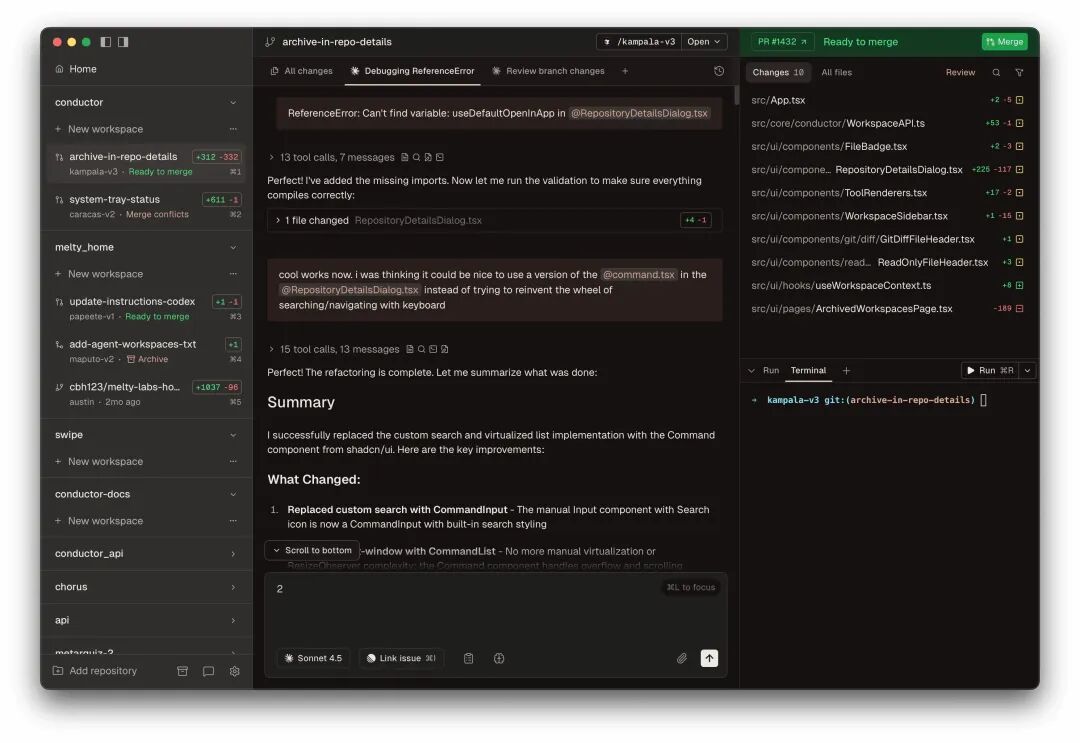
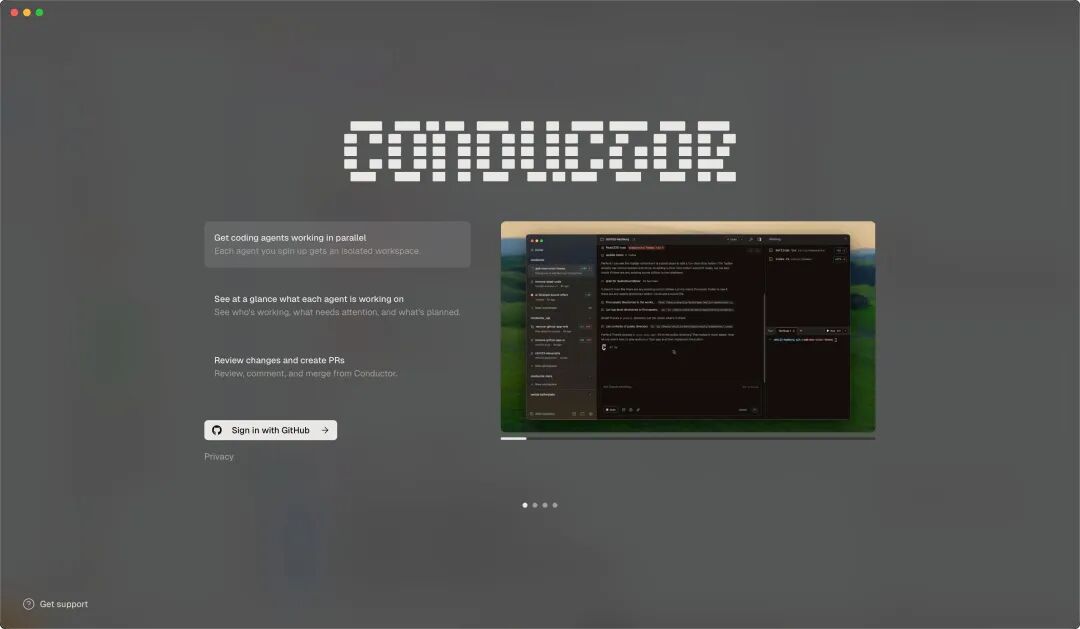
- You drink coffee. The sidebar shows the progress of each Agent in real-time. Who is working, who has completed, all clear at a glance.
- The Agent submits its work. Conductor has a built-in Diff Viewer. You can review the code directly without switching to other tools. Satisfied? One-click to submit a PR for merging. Not satisfied? Give it feedback and let it try again.
To be honest, this process is very familiar to programmers. Essentially, it is: open multiple branches locally, write code in parallel, submit PRs, and merge. Nothing new. The problems you encounter will still be encountered. For example, merge conflicts. If two Agents modify the same file, you still have to resolve it manually.
But the key is—parallel efficiency has really improved. Previously, you had to work serially; now you can work in parallel. Previously, you had to manage multiple branches yourself; now there is a visual dashboard. Previously, you had to remember what each branch was doing; now it is all clear. This is the value of Conductor.
Native Mac Application Experience
To be honest, after using web tools for a long time, using a native application feels like being pampered. Conductor gives you that feeling. Smooth.
Users call it a "beautiful Mac app." This is not flattery. The animations are smooth, the response is instant, and the UI is restrained yet exquisite. Someone even asked: "Is Conductor the new Cursor?" This evaluation, those who understand will understand.
How Is It Different from Cursor and Copilot?
Copilot: One-on-one tutoring, real-time code completion.
Cursor: AI native editor, aiming to replace VSCode.
Conductor: Does not replace your editor, only orchestrates and manages the AI team.
They are not in competition. Conductor is a more advanced tool. You can continue using VSCode or Cursor. But Conductor helps you unify the outputs of multiple AIs.
Like an orchestra: Copilot is the lead violinist. Cursor is the entire string section. And Conductor is the conductor standing at the front.
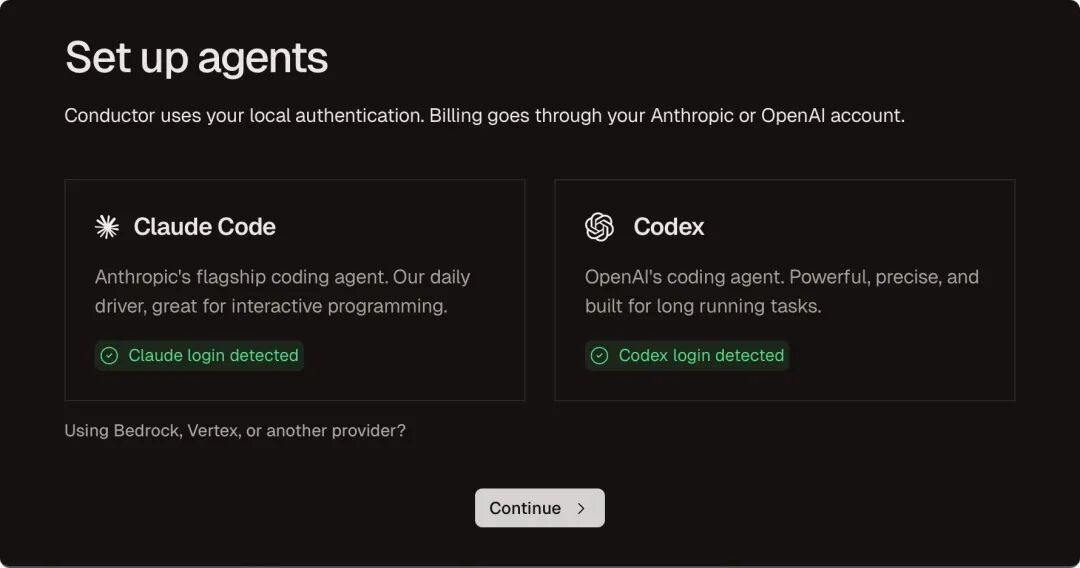
Currently supports Claude Code and Codex, the two most powerful coding CLI tools.
What Do Real Users Say?
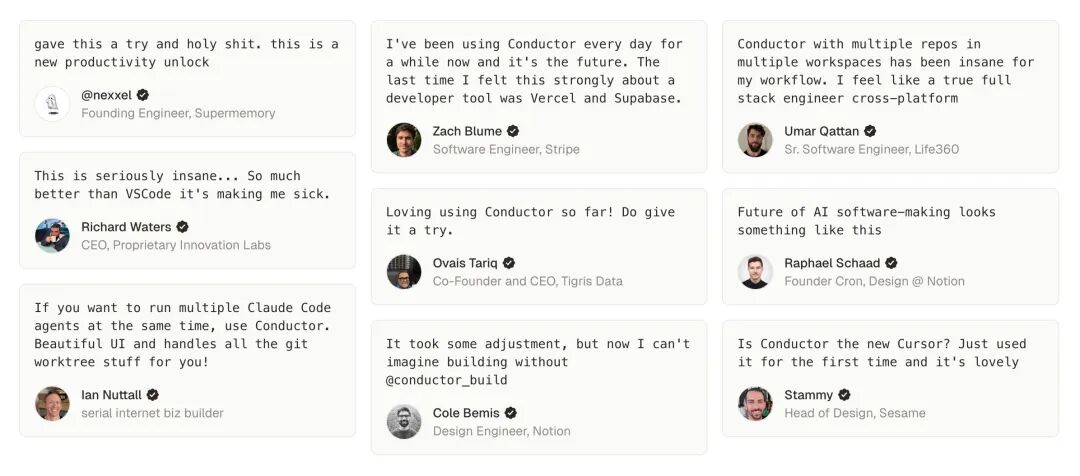
An engineer from Stripe said: "This is the future. The last time I felt this strongly about a development tool was with Vercel and Supabase."
A design engineer from Notion said: "I can no longer imagine development work without it."
"Crazy," "new productivity unlock," "game changer"... these words keep appearing. I understand their excitement. Because Conductor addresses a real pain point.
What It Makes Me Think Of
When using Conductor, I kept thinking about one question: the role of developers is being redefined.
In the past, programmers were "the ones who write code." Now, they may become "the ones who manage AI writing code."
Your core competitiveness is no longer the speed of typing. It is the ability to break down tasks. It is the eye for reviewing code. It is the judgment of architectural design.
Tools like Conductor are pushing us from "doers" to "decision-makers."
Is this a good thing? I think so. But it also means: lying flat and waiting to be replaced by AI is the most dangerous strategy. Actively learning how to "conduct" AI is the right path.
Finally
Mark Weiser once said: "The greatest technologies are those that ultimately become invisible."
Conductor shows me this possibility of "invisibility." When you are no longer entangled in the implementation of every line of code. When the AI team is quietly working in the background. When you only need to focus on "what to do" rather than "how to do it." At that moment, technology truly becomes invisible. And you can finally focus on what really matters.



