Better than Listary? This Tool from macOS 'Immigrant' Has Gained Over 27k Stars on GitHub!
Better than Listary? This Tool from macOS 'Immigrant' Has Gained Over 27k Stars on GitHub!
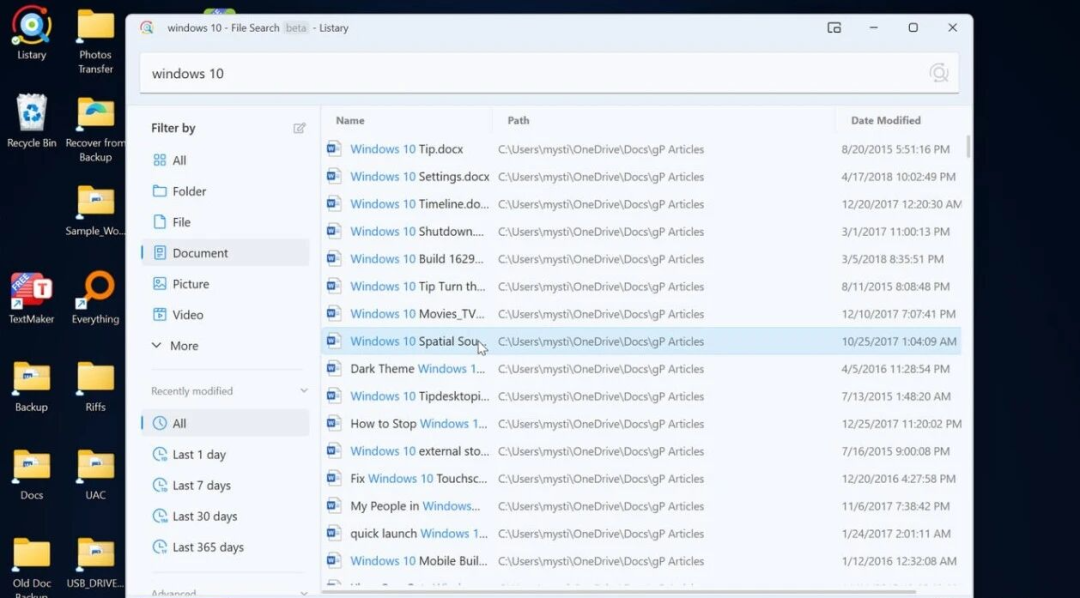
 Are you already accustomed to double-clicking Ctrl to wake up Listary, enjoying the thrill of instantly locating in a sea of files?
As a long-standing and excellent efficiency launcher on Windows, Listary's file management integration capabilities are indeed well-loved.
But today, I want to introduce you to a formidable challenger.
It is not a sudden newcomer but has officially landed on Windows with a top reputation accumulated on macOS, and has quickly garnered over 27,000 Stars on GitHub. Many users who have deeply experienced it, including myself, have started to ponder:
Is it the ultimate form of a Windows efficiency launcher?
Raycast is it.
What Exactly is Raycast? A Dimensional Strike from macOS
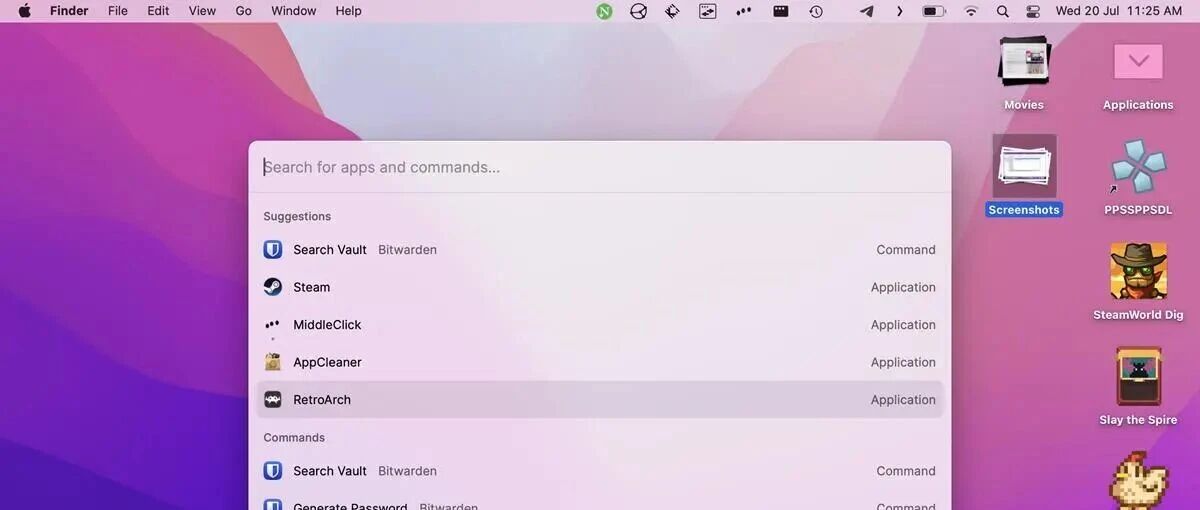
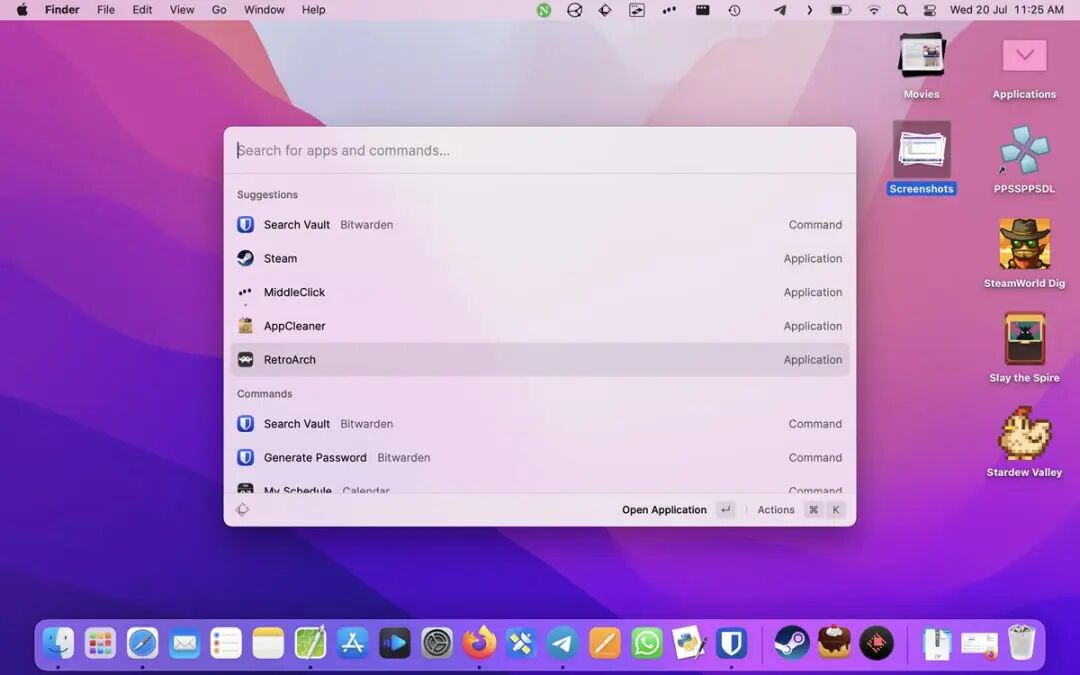
In simple terms, Raycast is a fast, visually appealing, and infinitely expandable keyboard-driven productivity launcher.
You can think of it as:
- A super enhanced version of the Windows search box
- A more elegantly designed combination of Listary and Flow Launcher
Press Alt + Space (or another custom shortcut), bring up a search box in any interface, and then complete all operations via the keyboard—launch applications, search files, execute system commands, control music playback, and even manage your GitHub Issues.
Unlike Listary, which is rooted in Windows and focuses on file management and path jumping, Raycast's design philosophy leans towards creating a unified, plugin-based command center.
This difference directly results in a generational gap in experience.
Why Challenge Listary? Three Core Advantages
1. System Interaction: From 'Open the Door' to 'Directly Enter the Room'
Listary can help you quickly open the settings application, but if you want to directly adjust the Bluetooth switch, you usually still have to manually search in the settings interface.
 This is Raycast's first impressive feature.
Raycast can directly reach every detailed item in the system settings. For example, if you type "Bluetooth," it will directly display the switch options for "Turn on Bluetooth" or "Turn off Bluetooth," allowing you to toggle with a click without entering any secondary menus.
This deep understanding and integration of system hierarchy allows operations to skip an entire step.
In file search, Raycast not only inherits the speed of Everything but also provides a more aesthetically pleasing file browsing view, and allows you to customize and add folders to be indexed, making management more intuitive.
2. Functional Breadth: Built-in Swiss Army Knife, Not a Single Tool
Listary's strength lies in its deep binding with File Explorer, such as directly typing to search in any folder—this is its trump card feature. However, beyond that, it still requires you to rely on other standalone tools.
Raycast, on the other hand, chooses to natively integrate various commonly used efficiency tools together:
Powerful Clipboard History
- Automatically saves all copied texts, images, and links
- Can save for up to 3 months
- Supports search and pinning
- Can completely replace standalone clipboard management tools like Ditto
- No need to install other software
- Directly use keyboard shortcuts to precisely position windows to 1/2, 1/3, or 1/4 of the screen
- Particularly good support for multiple displays- Save commonly used text templates (such as email signatures, code snippets)
- Save direct links to web pages and folders
- Quickly call up using keywords
3. Expanding Ecosystem: A Thriving App Store
This is the most critical difference between Raycast and Listary.
Listary's functionality is relatively fixed, while Raycast has a large and active extension store with thousands of free plugins:
- Install the "Kill Process" plugin to quickly end high-resource processes
- Install the "Spotify Player" plugin to control music without switching windows
- You can even install plugins for "Google Translate", Jira, or GitHub, integrating the functionalities of these web services directly into your search box
Comparison: Raycast vs Listary
| Feature Dimension | Raycast | Listary | |-------------------|---------|---------| | Core Positioning | Unified command and automation platform | Focused on file management and quick navigation | | Design Philosophy | Cross-platform (macOS/Windows), modern, minimalist | Deeply integrated into the Windows ecosystem | | Key Advantages | Rich native features, large ecosystem of extensions, seamless interaction with deep layers | Smooth file operations, integration with resource manager | | Core Scenarios | Application launching, system control, clipboard management, window management, integrating everything through plugins | File search, path jumping, quick positioning in open/save dialogs | | Extension Method | Official extension store, many high-quality plugins | Relatively cohesive functionality, custom commands and web searches | | Target Audience | Users pursuing extreme efficiency, who enjoy tinkering with plugins, and want a unified operation entry point | Heavy file managers, reliant on Windows Explorer, pursuing a stable single workflow |
Should I Switch to Raycast?
The answer is: it depends on the focus of your workflow.
If You Are a File-Oriented User
If you spend most of your time dealing with local files and folders, frequently needing to jump between different directories and organize them, then Listary may fit your workflow better.
Its experience of "typing directly in the Explorer to search" is truly unique at the moment.
If You Are a Command and Aggregation-Oriented User
If you frequently switch applications, need clipboard history, like to control everything with the keyboard, and are willing to use various online services (like translation, checking API documentation), then Raycast can open up a whole new perspective for you.
Its platform capabilities can greatly reduce your cognitive load when switching between different software.
The Good News Is
Raycast's core features are completely free.
Its advanced AI features and sync services require a subscription, but for most users, the free version is already very powerful. You can download and experience it without pressure, and personally understand the latest developments in this efficiency launcher battle.
In Conclusion
Overall, Listary is indeed a powerful player in local file management, while Raycast is an ambitious challenger aiming to connect everything and create a unified command center.
The emergence of the latter undoubtedly brings unprecedented efficiency improvements to Windows users.
This competition does not have a clear winner or loser; in the end, the beneficiaries are all of us ordinary users pursuing higher efficiency.Visit raycast.com to start your journey of efficiency revolution.



