Antigravity Launches Four Agent Modes
Antigravity Launches Four Agent Modes
In previous articles related to Antigravity, some readers asked how to set it up if they do not want to interact with the Agent during its operation. This article may have the answer.
Recently, Antigravity launched four Agent modes: Strict Mode, Review-driven development, Agent-driven development, Custom configuration.
Strict Mode
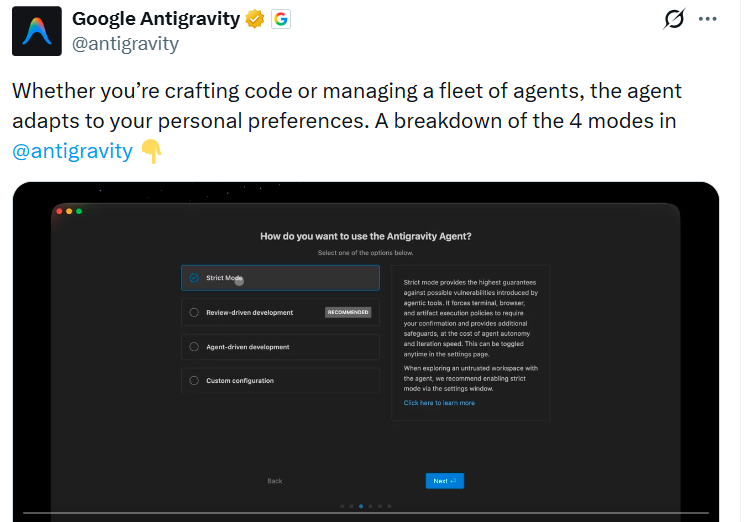
Strict Mode. When dealing with production environments or core systems, any minor automation error can lead to irreversible consequences, such as data deletion or configuration errors. Strict Mode requires you to review all changes; this configuration downgrades the Agent to a suggester rather than an executor. It enforces human developers as the last line of defense, ensuring that every line of code and every command is manually confirmed, and introduces external auditing tools like Gemini Code Assist to hedge against the illusion risks of AI.
In Strict Mode, the Review Policy, Terminal Command Auto Execution, and JavaScript Execution Policy are all in the Disable state.
Review-driven development
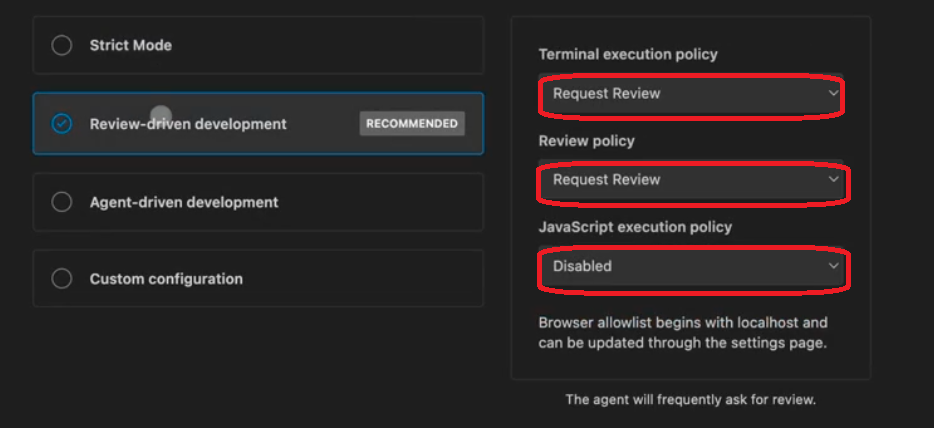
Review-driven development mode. The default preferred mode, emphasizing learning and meticulous code writing.
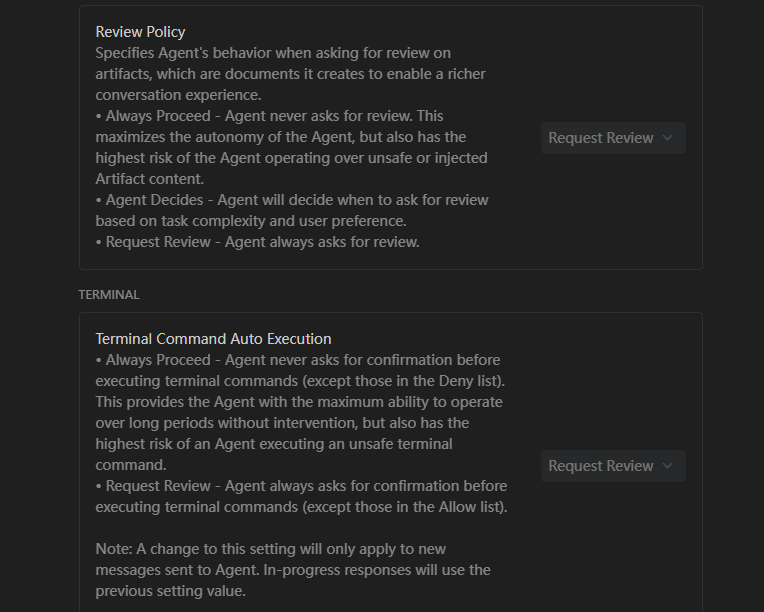
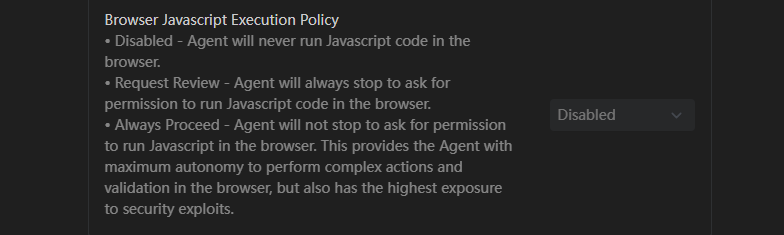
In Review-driven development mode, the Terminal execution policy and Review Policy are both set to Request Review, allowing developers to see "what it wants to do" and "why it wants to do it" before the AI executes operations. The JavaScript execution policy is set to Disable to prevent the Agent from silently running complex logic scripts in the background, ensuring the transparency of code logic.
It is recommended to start with this mode and adjust settings once more proficient.
Agent-driven development
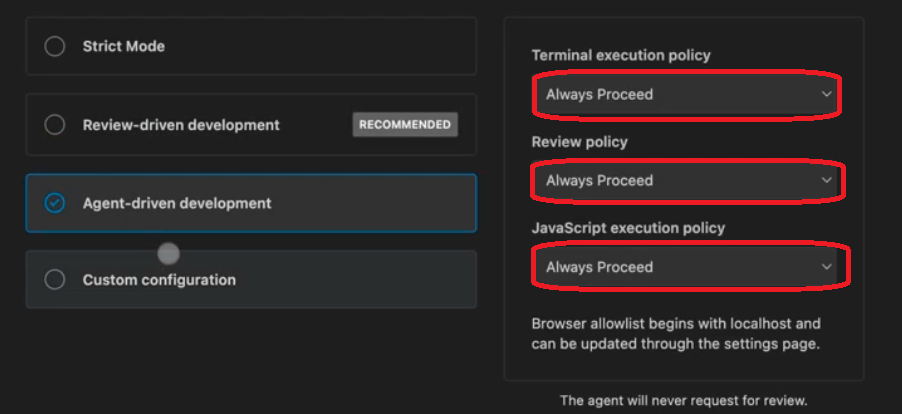
Agent-driven development mode. This mode is very suitable for busy AI engineers who have already configured some skills and are managing multiple AI Agents.
It can optimize your workflow by adding more entries to the allow list or block list.
In Agent-driven development mode, the Terminal execution policy and Review Policy are both set to Always Proceed; the JavaScript execution policy is also Always Proceed. With this mode, you only need to look at the results without the intermediate confirmation process.
Custom configuration
Custom configuration mode. You can choose custom configuration mode when you want to tailor Agent policies for specific workflows. Sometimes you may want the Agent to take the lead in generation but still insist on approving plans first; this mode is very suitable.
In custom configuration mode, the Terminal execution policy, Review Policy, and JavaScript execution policy can be customized.